How to use Flodesk Studio: A walkthrough of my first email
Filed Under

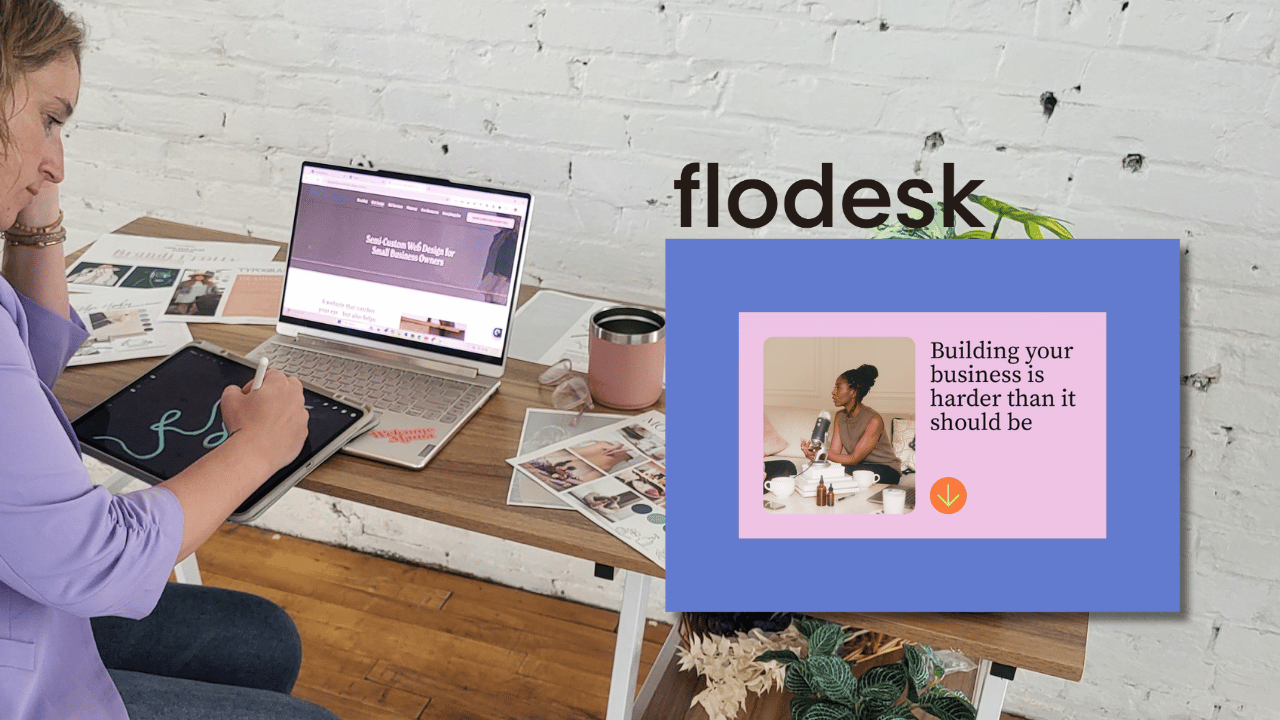
Designing a nice email used to eat up a couple of hours on a Saturday night that I didn’t have. Pick a template, fight the fonts, nudge the spacing, give up, start over when it wasn’t pretty enough. If you have ever stared at a blank email builder wondering how it should be designed to get results and then just give up, you are my people.
Flodesk just launched a brand new app called Studio, and I got early access as a Flodesk partner. So I did the obvious thing. I used it to build a real newsletter for my own list, screenshots and all, so I could show you exactly how to use Flodesk Studio.
Here is what you will get in this walkthrough: what Flodesk Studio actually is, the exact steps I took from brand setup to a scheduled email, and an honest take on what I loved and what I would watch out for.
What is Flodesk Studio?
Flodesk Studio is a brand new, standalone app for designing emails. It is separate from the regular Flodesk you might already use. You describe the email you want, it builds three on brand versions in seconds, and then you edit it however you like.
The part that makes it different is the foundation. Instead of generating a design from a blank slate, Studio starts from layouts that real designers built, then uses AI to speed up the busywork and apply your brand. You stay in control of every pixel.
Two things worth knowing up front. It is free during the beta, and you do not need a paid Flodesk account to try it. And it works with any email provider, so you can design in Studio and export the HTML to Mailchimp, ConvertKit, Beehiiv, or wherever you already send from. But hint hint, I tried leaving Flodesk and came back so you know where I stand on other email providers 😉.
Why I tested Flodesk Studio as a Flodesk partner
I am a Flodesk partner, so I get to poke at new tools early. But I do not recommend anything I have not actually used on real work. So instead of a demo, I built my real Coffee and Conversions newsletter for the week of the 4th of July.
That email needed to highlight a client website I just launched and my latest podcast episode about how I use AI in my business. Real content, real deadline, real inbox. That is the only way to know if a tool holds up.
How to use Flodesk Studio, step by step
Here is the exact order I worked in. Do not skip the first step, because it is the one that makes everything after it look good.
Step 1: Set up your brand first
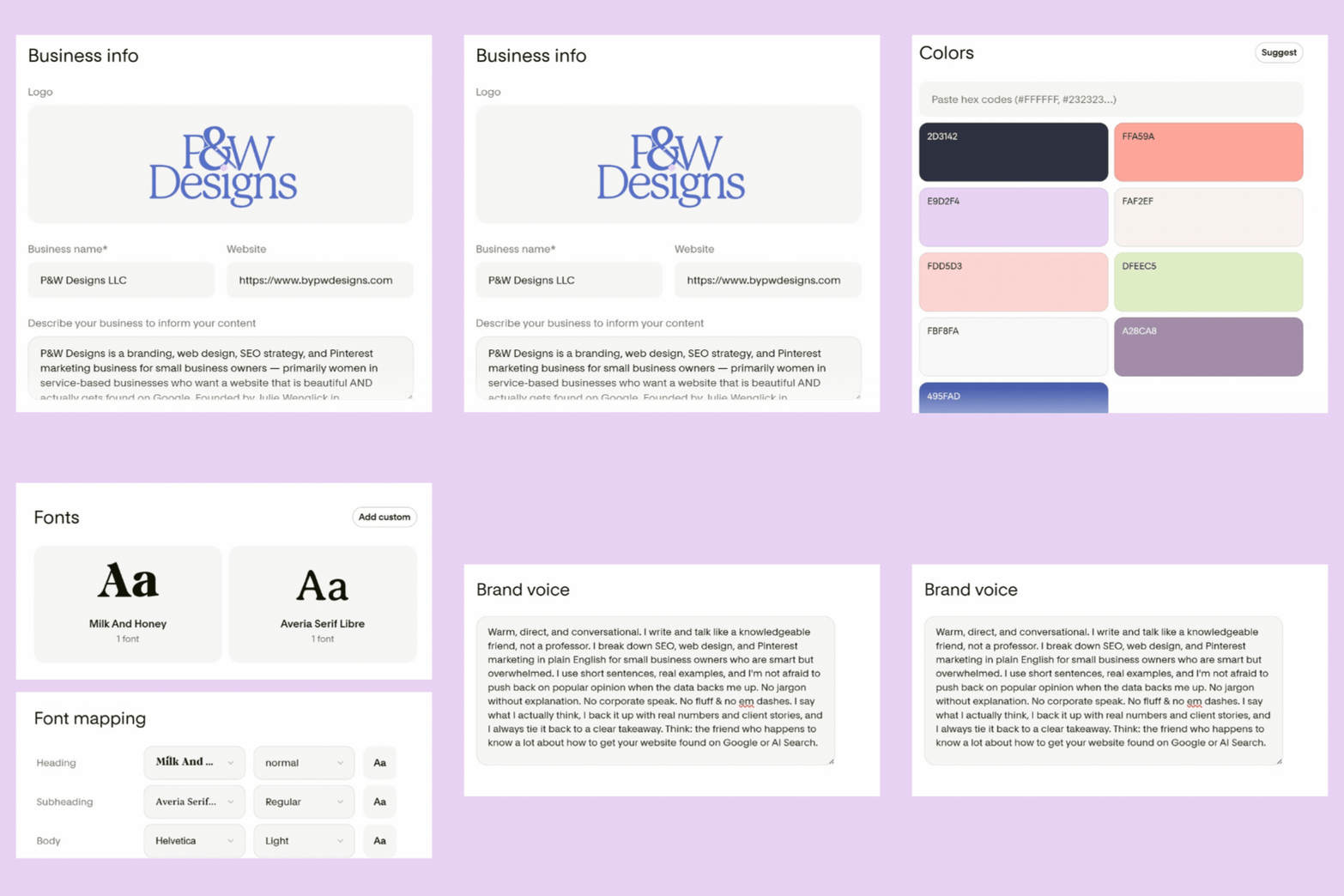
Before you prompt anything, tell Studio who you are. This is the Brand Management area, and it is the difference between an email that looks like a template and one that looks like you.
I filled in my business info (P&W Designs, my website, and a short description of what I do and who I help). Then I added my brand voice in my actual words: warm, direct, conversational, a knowledgeable friend, not a professor.
I uploaded my two brand fonts, Milk and Honey for headings and Averia Serif Libre for accents, and dropped in my exact hex colors instead of eyeballing them. Set this once, and every email Studio makes for you starts on brand automatically. If you already use Flodesk, it can pull your brand assets over for you which was also really nice.
Step 2: Write your prompt
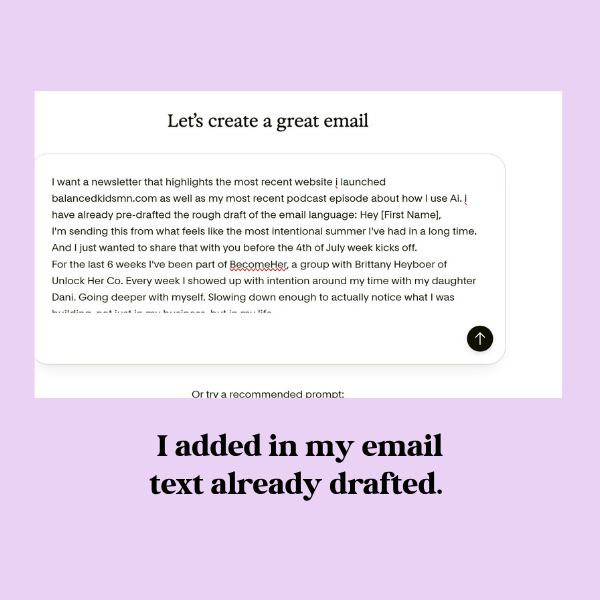
Now the fun part. You describe the email you want in plain language. You can start from just an idea, a few lines of copy, or a full rough draft.
I had already written a rough draft of my email, so I pasted it in and told Studio what to feature: my most recent client website launch and my newest podcast episode. The clearer you are here, the closer the first result lands.
Step 3: Pick one of three directions
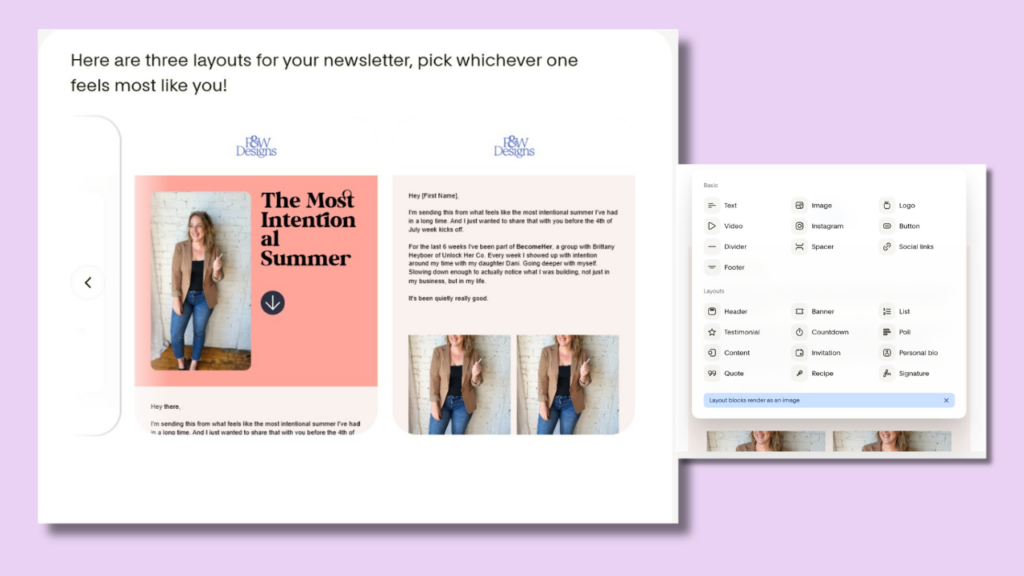
Studio does not hand you one email and hope you like it. It builds three directions off your prompt, usually a visual heavy version, a banner style version, and a cleaner plain text version.
Mine came back with my copy already in place and my brand already applied. I picked the one that felt the most like me and kept going. Flodesk says this gets you about 80 percent of the way there, and that matched my experience.
Step 4: Edit it your way
This is where you make it yours. You can edit by chatting with it, or by hand with blocks, whichever way your brain prefers.
The block menu is deep. Alongside the basics like text, image, button, and logo, there are layout blocks for a header, banner, list, testimonial, countdown, poll, quote, personal bio, and signature. You drag, drop, swap photos, and rotate stickers until it feels right.
One honest heads up, and I will come back to it below: those layout blocks render as an image, not as live text. Good to know before you lean on them for everything.
Step 5: Send it or export the HTML
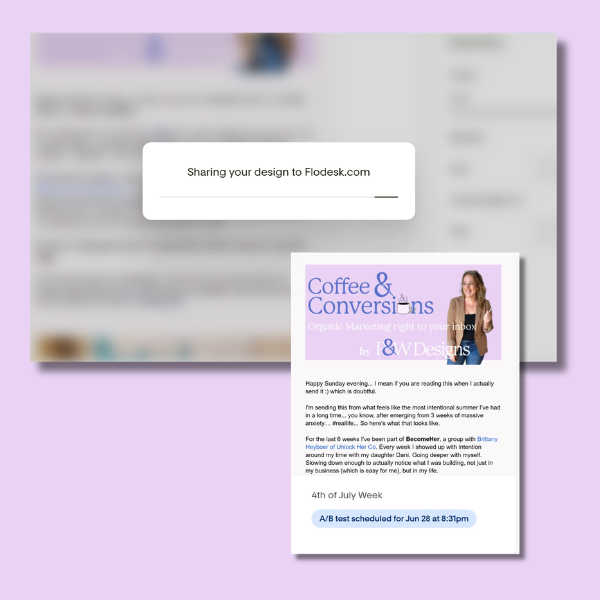
When the design is done, you have two paths. Send it straight through Flodesk, or export clean HTML and paste it into whatever email platform you already use.
I shared mine over to Flodesk, then scheduled it like any other email. From blank canvas to a finished, on brand newsletter sitting in my scheduler, the whole thing was fast. That two hour email design afternoon I used to dread did not happen.
What I loved and what I would watch out for
I try to tell you the truth about tools, not just the launch day hype. So here is both sides.
What I loved:
- Set your brand once and every email starts on brand. No more pasting hex codes each time.
- It is genuinely fast. A first draft in minutes, not hours.
- The HTML export means no platform lock in. You are not forced to switch email providers to get a nice design.
- The three directions kill blank page paralysis. You are editing, not starting from nothing.
What I would watch out for:
- Those layout blocks render as images. That can affect accessibility and how some inboxes read your email, so use real text blocks for anything important.
- Right now it holds one brand profile per account, so it is not built for managing lots of clients yet.
- Editing is a one way street after export. If you spot a typo after sending the HTML to your provider, you fix it back in Studio and re export, not in your email host.
Who Flodesk Studio is actually for
Studio is built for small business owners and creators, not designers. If you are smart and busy but design is not your zone, this is squarely for you.
It is an especially easy yes if you are on another email platform and just want better looking emails without moving your whole list. Design in Studio, export, and keep sending where you already send. It has earned a spot on the short list of marketing tools I actually recommend.
Flodesk Studio FAQ
The real answers, from someone who actually tested it. Here is what people keep asking about Flodesk Studio, and what I found using it on my own newsletter.
Is Flodesk Studio the same as Flodesk?
No, and this will trip people up. Studio is a separate, standalone app, not a feature bolted onto the Flodesk you might already use. You can run it on its own, connect it to a Flodesk account, or design in Studio and export to a different email provider entirely, which is a really smart business move for them.
Do you need a Flodesk account to use Flodesk Studio?
No. During the beta it is open to anyone, no paid Flodesk account required, and you can still export your design if you send from another platform. I tested it as a Flodesk partner, but nothing about trying it requires you to switch tools.
Can you use Flodesk Studio with Mailchimp or ConvertKit?
Yes. Studio exports clean HTML you can paste into most major platforms, including Mailchimp and ConvertKit. It works best inside Flodesk, but that is not required. One thing to note: because some of Studio’s layout blocks render as images instead of live text, I would always send yourself a test before you rely on a Studio export in another platform. Also note, you can’t edit once you export into Flodesk either, it’s all done inside Studio.
Why should I use Flodesk Studio instead of just editing inside Flodesk?
For me, this comes down to greater design flexibility. The block options in Studio are much more diverse than what’s available in Flodesk, and I love that all of it renders pre-made with your branding much quicker, in my opinion.
How long does it take to make an email in Flodesk Studio?
Flodesk says a first draft takes about five minutes, versus the two hours a designed email often eats up. The prompt got me most of the way there and the rest was quick edits.
Is Flodesk Studio good for beginners?
Yes, with one caveat: you do need good branding. It starts you from a professionally designed layout and applies your brand for you, so even someone who has never designed an email gets a polished result. My one rule for beginners: use real text blocks for your important message, not the image based layout blocks, so your email stays readable and lands in the inbox.
Try Flodesk Studio free
Here is the short version.
Flodesk Studio is a fast, genuinely useful way to design on brand emails, especially if design usually slows you down. Set up your brand, write a clear prompt, pick a direction, edit, then send or export. Just use real text for your important lines.
Studio is free while it is in beta, so this is the best time to play with it. You can try Flodesk Studio here and build your first email today.